Why Commenting is Important:
Commenting is very important for creating a sense of community. Comments give the blogger input and give the blogger an idea of what people think. The seven blogs I've been following and commenting on are: classmates- Charles Irwin, Lenora Clark, Shanna Guentert, Sydney Saunders, and Olivia Voie. Regular blogs- Blogboard and Resources for Teachers.
Alexis
Thursday, August 9, 2012

Thing 22
Keeping' it Together: Livebinders
The binders I created are Educational Resources, Classroom Activities, and Department of Education. I embedded my Educational Resources binder. My Binder I think there are several ways you can use this site inthe classroom. Not only is it a great website for teacher to keep information,but students could also keep online resources in a binder.
The binders I created are Educational Resources, Classroom Activities, and Department of Education. I embedded my Educational Resources binder. My Binder I think there are several ways you can use this site inthe classroom. Not only is it a great website for teacher to keep information,but students could also keep online resources in a binder.
One Last Thing
Is It The End Or Only The Beginning?
Creating my 23 Things has taught me so much! I had no idea that all of these great resources were available. I think my favorite Thing was Thing 21 Animoto. The Animoto website allows you to create video slideshows from pictures they provide or pictures you up load from your computer. This class has rally opened my eyes to all the technology available to assist me in my future classroom. I truly believe this class was only the beginning. The tools I have received I will always use.
Creating my 23 Things has taught me so much! I had no idea that all of these great resources were available. I think my favorite Thing was Thing 21 Animoto. The Animoto website allows you to create video slideshows from pictures they provide or pictures you up load from your computer. This class has rally opened my eyes to all the technology available to assist me in my future classroom. I truly believe this class was only the beginning. The tools I have received I will always use.
Thing 23
Creative Commons:
I will use Creative Commons to check the copyright laws for information and pictures I intend to use. It is very important to give credit where credit is due. If it isn't my original work I will be sure to make sure I can use it and acknowledge the creator.
I will use Creative Commons to check the copyright laws for information and pictures I intend to use. It is very important to give credit where credit is due. If it isn't my original work I will be sure to make sure I can use it and acknowledge the creator.
Thing 21
Animoto:
For this Thing I created a video slideshow of my niece. This was by far one of my favorite Things to do. It was so easy to create the video. This site would be great for students to create videos. There were several songs and video styles to choose from. I really liked all the options for pictures. You could choose pictures from social network sites you have an account with, upload pictures from your comouter, or use the pictures they have on the site. I will use this site again and create more video slideshows.
Create your own Slideshow at Animoto.
For this Thing I created a video slideshow of my niece. This was by far one of my favorite Things to do. It was so easy to create the video. This site would be great for students to create videos. There were several songs and video styles to choose from. I really liked all the options for pictures. You could choose pictures from social network sites you have an account with, upload pictures from your comouter, or use the pictures they have on the site. I will use this site again and create more video slideshows.
Create your own Slideshow at Animoto.
Sunday, July 29, 2012
Thing 20
You, Too, Can YouTube:
I really like YouTube. You can find videos for just about anything. I choose the video Teacher Quotes because I was moved by some of the quotes. There are some great quotes in this video. It was very inspirational. YouTube is a great resource for the classroom, But you have to be very careful when choosing videos. Some of the videos are not at all appropriate for a school setting. Be sure to watch the whole video and check out all the content before using the video in the classroom.
<iframe width="560" height="315" src="http://www.youtube.com/embed/iv49FLJ6mxo" frameborder="0" allowfullscreen></iframe>
I really like YouTube. You can find videos for just about anything. I choose the video Teacher Quotes because I was moved by some of the quotes. There are some great quotes in this video. It was very inspirational. YouTube is a great resource for the classroom, But you have to be very careful when choosing videos. Some of the videos are not at all appropriate for a school setting. Be sure to watch the whole video and check out all the content before using the video in the classroom.
<iframe width="560" height="315" src="http://www.youtube.com/embed/iv49FLJ6mxo" frameborder="0" allowfullscreen></iframe>
Thing 16
Get Organized With Web 2.0 Tools:
I choose to use the iGoogle start page. I like google because it is very easy to use. I don't think I will use this as my home page. My husband created a home page when we bought our computer so I just use that. I created a calendar. This calendar will be useful for me. I always write stuff down in an agenda so having all of my dates online on a calendar will be nice. I'm not a big fan of to-do list. I think that take too much time. I would rather just jot down things I need to get done with paper and pen and have a hard copy. The calendar is the tool I really will use for school.
I choose to use the iGoogle start page. I like google because it is very easy to use. I don't think I will use this as my home page. My husband created a home page when we bought our computer so I just use that. I created a calendar. This calendar will be useful for me. I always write stuff down in an agenda so having all of my dates online on a calendar will be nice. I'm not a big fan of to-do list. I think that take too much time. I would rather just jot down things I need to get done with paper and pen and have a hard copy. The calendar is the tool I really will use for school.
Thing 19
Beyond Facebook: Other Social Networks:
I am not a member of any online communities. I'm not really a big fan of social networking. I have used social networking sites before, but I just don't really like them. I feel like there are too many privacy issues with sites such as Facebook.
I am not a member of any online communities. I'm not really a big fan of social networking. I have used social networking sites before, but I just don't really like them. I feel like there are too many privacy issues with sites such as Facebook.
Wednesday, July 25, 2012
Thing 18
Explore Social Networking:
It is very important for educators to know about social networking and how it works. Most students, in most grade levels, are using some kind of social networking. Social networking sites are great for personal use, but I don't think they are very educational and I don't think they belong in the classroom. There have been many issues with cyber bulling done through these sites. These sites are great to keep in touch with people or learn about events going on, but I think these sites are better for adults. I think Facebook has more features than Twitter but I know Facebook has had several issues with privacy. Personally I'm not a big fan of social networking sites. I have Facebook and Twitter but I don't use them very often.
https://twitter.com/#!/alexisharris27
It is very important for educators to know about social networking and how it works. Most students, in most grade levels, are using some kind of social networking. Social networking sites are great for personal use, but I don't think they are very educational and I don't think they belong in the classroom. There have been many issues with cyber bulling done through these sites. These sites are great to keep in touch with people or learn about events going on, but I think these sites are better for adults. I think Facebook has more features than Twitter but I know Facebook has had several issues with privacy. Personally I'm not a big fan of social networking sites. I have Facebook and Twitter but I don't use them very often.
https://twitter.com/#!/alexisharris27
Thing 17
Tagging And Social Bookmarking With Delicious:
I really like this website. It was free and easy to sign-up. This could be a great classroom tool. Students can easily gather information. This is a good tool for personal use also. Like the video tutorial says you can create a stack about anything. Teachers can take advantage of sites like this by using them as search tools.
I really like this website. It was free and easy to sign-up. This could be a great classroom tool. Students can easily gather information. This is a good tool for personal use also. Like the video tutorial says you can create a stack about anything. Teachers can take advantage of sites like this by using them as search tools.
Thursday, July 19, 2012
Thing 15
What In The World Is A Wiki?
Wiki is so easy to use. Before this class I had never edited or created a Wiki. I was really surprised how simple it was to edit and change things on Wiki. Wiki's are great ways to collaborate with a group of people. This website is defiantly easier than emailing a group of people and trying to have that group collaborate through email. I would defiantly start a Wiki to get ideas from other teachers or to communicate with parents.
Wiki is so easy to use. Before this class I had never edited or created a Wiki. I was really surprised how simple it was to edit and change things on Wiki. Wiki's are great ways to collaborate with a group of people. This website is defiantly easier than emailing a group of people and trying to have that group collaborate through email. I would defiantly start a Wiki to get ideas from other teachers or to communicate with parents.
Thing 14
Go With The Flow:
For Thing 14 I used the Gliffy flowcharts and the Bubbl.us mind maps. I personally like mind maps better than flow charts. The mind maps in Bubbl.us were very simple to create. I found the Gliffy example flowchart on Lady Gaga rather interesting. I'm not a fan of her, but I love that they created a flowchart on her. (I personally prefer country music) Mind maps are a great way to organize ideas and create a starting point for almost any kind of project. I will defiantly visit there websites again and use the free tools available.
For Thing 14 I used the Gliffy flowcharts and the Bubbl.us mind maps. I personally like mind maps better than flow charts. The mind maps in Bubbl.us were very simple to create. I found the Gliffy example flowchart on Lady Gaga rather interesting. I'm not a fan of her, but I love that they created a flowchart on her. (I personally prefer country music) Mind maps are a great way to organize ideas and create a starting point for almost any kind of project. I will defiantly visit there websites again and use the free tools available.
Thing 13
Web-Based Applications:
I really like Zoho. It was easy to use and looked a lot like word. I think students could easily use this application. Google docs was also very easy to use. I really liked Google docs because it has much more than Zoho. This is a great application for student use. Students could collaborate and create several different projects. The following is a link to my drawing I created in Google docs.
My drawing
Of the two applications I prefer Google docs. There are so many more tools on Google docs and you can also create spreadsheets and presentations. Google docs is an all in one application.
I really like Zoho. It was easy to use and looked a lot like word. I think students could easily use this application. Google docs was also very easy to use. I really liked Google docs because it has much more than Zoho. This is a great application for student use. Students could collaborate and create several different projects. The following is a link to my drawing I created in Google docs.
My drawing
Of the two applications I prefer Google docs. There are so many more tools on Google docs and you can also create spreadsheets and presentations. Google docs is an all in one application.
Wednesday, July 18, 2012
Thing 12
Google Is Not Just For Searching Anymore:
I choose google alerts and google translate. Google alerts sends you updates through your email on topics of your choice. I choose to be alerted on any breaking weather events and any educational news. I like google alerts because you can just check your email and see if there are any new articles, pictures, or new news stories. The second google tool I choose to explore was google translate. This is an awesome tool. I know as a future educator there is a great chance that some of my students will be from non-english speaking families. This is a great tool to communicate with their families. You type in what you want to translate, pick the language you need, and it generates the translation right there for you. There is also a speak button that will read the translation for you. This would be great for parent teacher conferences.
Google Alerts
http://www.google.com/alerts
Google Translate
http://translate.google.com/
I choose google alerts and google translate. Google alerts sends you updates through your email on topics of your choice. I choose to be alerted on any breaking weather events and any educational news. I like google alerts because you can just check your email and see if there are any new articles, pictures, or new news stories. The second google tool I choose to explore was google translate. This is an awesome tool. I know as a future educator there is a great chance that some of my students will be from non-english speaking families. This is a great tool to communicate with their families. You type in what you want to translate, pick the language you need, and it generates the translation right there for you. There is also a speak button that will read the translation for you. This would be great for parent teacher conferences.
Google Alerts
http://www.google.com/alerts
Google Translate
http://translate.google.com/
Thing 11
Finding Good Feeds:
I liked Edublogs' Award Winners site. There were great blogs on their list. The google blog search was pretty easy to use. I didn't have much trouble with any of the searches I tried. I found an awesome blog from Students at Billings Middle School in the Edublogs' list.
Thing 10
Set Up A RSS Reader And Add Feeds:
I didn't know that much about RSS Readers before doing Thing 10, but now I just love them. I like that all the news feeds are right there in one place when I open it. It cuts down on wasted time online. Why go looking for new news when you can set up a reader that brings it all to you? This is great for classroom use because you have all the new information right there on one page. I will defiantly use this in my personal life and as a professional.
I didn't know that much about RSS Readers before doing Thing 10, but now I just love them. I like that all the news feeds are right there in one place when I open it. It cuts down on wasted time online. Why go looking for new news when you can set up a reader that brings it all to you? This is great for classroom use because you have all the new information right there on one page. I will defiantly use this in my personal life and as a professional.
Thing 9
Online Image Generators:
I really enjoyed using image generators. There are so many different things you can create with these image generators. I liked the image chef website. They had several different picture frames you can upload a photo to. I chose to create a picture of the letters APSU as a star. The cool text website was so easy to use. You pick the kind of letters you want, type in what you want it to say, and click. There were all kinds of fonts, glitter letters, neon letters, and flashing letters. You can use any of these generators for your classroom. The students would have a great time creating different things and playing with the different generators. I would use this in my classroom for several different projects and lesson plans.
APSU Star:
http://cdn-img1.imagechef.com/w/120718/7427491def6e285a.gif

http://cooltext.com/
I really enjoyed using image generators. There are so many different things you can create with these image generators. I liked the image chef website. They had several different picture frames you can upload a photo to. I chose to create a picture of the letters APSU as a star. The cool text website was so easy to use. You pick the kind of letters you want, type in what you want it to say, and click. There were all kinds of fonts, glitter letters, neon letters, and flashing letters. You can use any of these generators for your classroom. The students would have a great time creating different things and playing with the different generators. I would use this in my classroom for several different projects and lesson plans.
APSU Star:
http://cdn-img1.imagechef.com/w/120718/7427491def6e285a.gif

http://cooltext.com/
Monday, July 16, 2012
Thing 8
Flickr Mashups:
I created a puzzle using one of my photos in flickr. I really like the mashups. There were so many different, fun, and creative things to do with all of the photos I uploaded. I think this will be a great thing to use in the classroom. Not only can you create cool things like puzzles, but you can spell out works, create a clock, or a mosaic. There are so many things students can do on their own. I believe they would really enjoy creating fun new things. I'm still not all that comfortable about public sharing of photos over the internet. I again made sure all my pictures were marked as private.
http://www.flickr.com/photos/77295281@N06/6780061964/
Friday, July 13, 2012
Thing 7
Explore Flickr:
I enjoyed using flickr. I
uploaded a picture of my dog Apollo. I'm not sure that I will use flickr
that much. I always use iPhoto and really love all the features on
Iphoto. I've used iPhoto for so long and just really like it.
Flickr wasn't hard to use or confusing I just prefer Iphoto. I do
not like the idea of my pictures being public at all. I uploaded a
picture of my niece when I uploaded the picture of my dog but I changed the
picture of my niece to private so only I can see it. I'm just not
comfortable at all with just anyone anywhere being able to see my personal
pictures of family and friends. I even have my Facebook account set up as
private so no one can see any of my picture unless I give them permission.
I enjoy social networking and picture sharing but I like knowing only
people I choice can see my information and pictures.

IMG_0494 - Version 4, a photo by aharris57 on Flickr.
Thursday, July 12, 2012
Thing 6
Discovering Web 2.0 Tools
I chose Dropbox from the Web 2.0 award nominees. I really like Dropbox because you can access your documents and folders from anywhere. You create an account, log in, upload your information, and it is in Dropbox everywhere. I have Dropbox on my computer, iPhone, and iPad. It's so nice to know all of my work is there and I don't have to email myself documents. There are several different features on Dropbox. You can create folders, you can edit your work, you can share folders, and you can set up events. Dropbox is a great way to share information with colleagues. I think Dropbox is defiantly appropriate for use in schools and libraries.
**www.dropbox.com**
I chose Dropbox from the Web 2.0 award nominees. I really like Dropbox because you can access your documents and folders from anywhere. You create an account, log in, upload your information, and it is in Dropbox everywhere. I have Dropbox on my computer, iPhone, and iPad. It's so nice to know all of my work is there and I don't have to email myself documents. There are several different features on Dropbox. You can create folders, you can edit your work, you can share folders, and you can set up events. Dropbox is a great way to share information with colleagues. I think Dropbox is defiantly appropriate for use in schools and libraries.
**www.dropbox.com**
Wednesday, July 11, 2012
Thing 5
Web 2.0 And Future Education:
School 2.0 and Web 2.0 mean using technology as a tool and resource for teaching in and out of the classroom. There are so many research tools, communication tolls, videos, chat rooms, blogs, podcast, and desk top tools available on the web. Using tools like this in our classrooms can really add to the educational experience for our students. I think School 2.0 means a more technology driven learning experience for students. I would like to think one day every student will have a laptop, iPad, or some type of educational gadget that they use from kindergarden until graduation. This would be a great way to track their academic growth and help them focus on areas they may struggle in.
Tuesday, July 10, 2012
Thing 3
Blogging For The Classroom And Teacher Education Program:
Blogging is a great way to share ideas with colleagues. It is a great way to keep parents informed. Blogging will be a great way for me to reflect on my learning experiences while in college. It is a great tool for reflecting on my teaching practices once I have my own classroom. As future educators, we all know how important reflecting is. If we do not reflect on the way we teach and present curriculum, we can not grow as educators. Sometimes things need to be changed to benefit students learning experiences. Without reflecting we can not pin point the things we need and want to change. Reflection helps us see what works and what does not. Once I have a classroom, I will also set up a classroom blog to keep parents informed and up to date on class activities. This will be a great way for parents to have an idea of what there children are learning and doing in class.
Thing 2
Creating My Blog And Avatar:
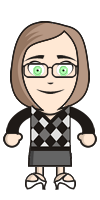
I enjoyed creating a blog and making my avatar. I have never blogged before so this is a new experience for me. It wasn't hard to create the blog or avatar, it just took some time. I created my avatar with a few similarities to myself. My avatar is wearing glasses and has green eyes as do I. I chose to dress my avatar in black and white. I wear black and white often, I think it looks professional and both colors go with anything. Overall I really enjoyed learning how to create a blog and an avatar. I am looking forward to reading others blogs. I think this will be a fun experience blogging and creating my own post.
Thing 1
7 1/2 Habits Of Lifelong Learners:
After reading the 7 1/2 habits of lifelong learners, I believe the easiest habit for me is using technology. I have always been really good with technology and gadgets. I constantly use them in most of my learning. I use the internet to find information and help me understand different concepts and ideas. I also have an iPad that I use all of the time. With the iPad I can access e-books through the Pearson app. This app allows me to access my college text books right from my iPad. The apple app store has several apps for education. I think the hardest habit for me in the 7 1/2 habits is viewing problems as challenges. I sometimes get frustrated with different task and sometimes think the task is just a problem and start to lose my patience. I think looking at problems as challenges is a great way for me to stay focused and keep my patience and push through the task. I enjoy challenges and this is a great way to look at problems.
Subscribe to:
Posts (Atom)